WordPress Dashboard Won't Load: 8 Causes and How to Fix Them WordPress Not Working: What to Check Before Panicking WordPress Site Stuck After Update: How to Recover It WP-Admin Error 500: Common Causes and Effective Solutions How to Identify Which WordPress Plugin Is Really Slowing Down Your Site Without Guesswork WordPress Migration Without Downtime: Professional Procedure to Avoid SEO Traffic Loss WordPress Not Sending Emails: Complete Step-by-Step Guide to Fix SMTP Issues WordPress not working? Wp-admin won't open: causes and solutions Case Study: Comprehensive Cleanup of a Compromised Joomla 3 Site AI Article Generator for Joomla 3: A Practical Case of Editorial Automation in Two Languages Key SEO Parameters to Regularly Check in Google Search Console Joomla and Incorrect URL Generation with Specific Menu Items Automatic Content Creation in WordPress Without Plugins: My Experience with OpenAI APIs How to block SiteGround WordPress automatic updates Yootheme Pro, Virtuemart and VMuikit: integration via dynamic fields for Joomla ecommerce WordPress Dashboard Won't Load: 8 Causes and How to Fix Them WordPress Not Working: What to Check Before Panicking WordPress Site Stuck After Update: How to Recover It WP-Admin Error 500: Common Causes and Effective Solutions How to Identify Which WordPress Plugin Is Really Slowing Down Your Site Without Guesswork WordPress Migration Without Downtime: Professional Procedure to Avoid SEO Traffic Loss WordPress Not Sending Emails: Complete Step-by-Step Guide to Fix SMTP Issues WordPress not working? Wp-admin won't open: causes and solutions Case Study: Comprehensive Cleanup of a Compromised Joomla 3 Site AI Article Generator for Joomla 3: A Practical Case of Editorial Automation in Two Languages Key SEO Parameters to Regularly Check in Google Search Console Joomla and Incorrect URL Generation with Specific Menu Items Automatic Content Creation in WordPress Without Plugins: My Experience with OpenAI APIs How to block SiteGround WordPress automatic updates Yootheme Pro, Virtuemart and VMuikit: integration via dynamic fields for Joomla ecommerce
How to block SiteGround WordPress automatic updates

How to block SiteGround WordPress automatic updates

Author Graziano De Maio - Gdmtech
I wish you a good read and remember: if after reading this article you need help, don't hesitate to contact me.
Author: Graziano De Maio | Founder of Gdmtech
Table of contents

I migrated a large WordPress site to SiteGround using a manual installation, without using SiteGround’s guided setup and WordPress management system.

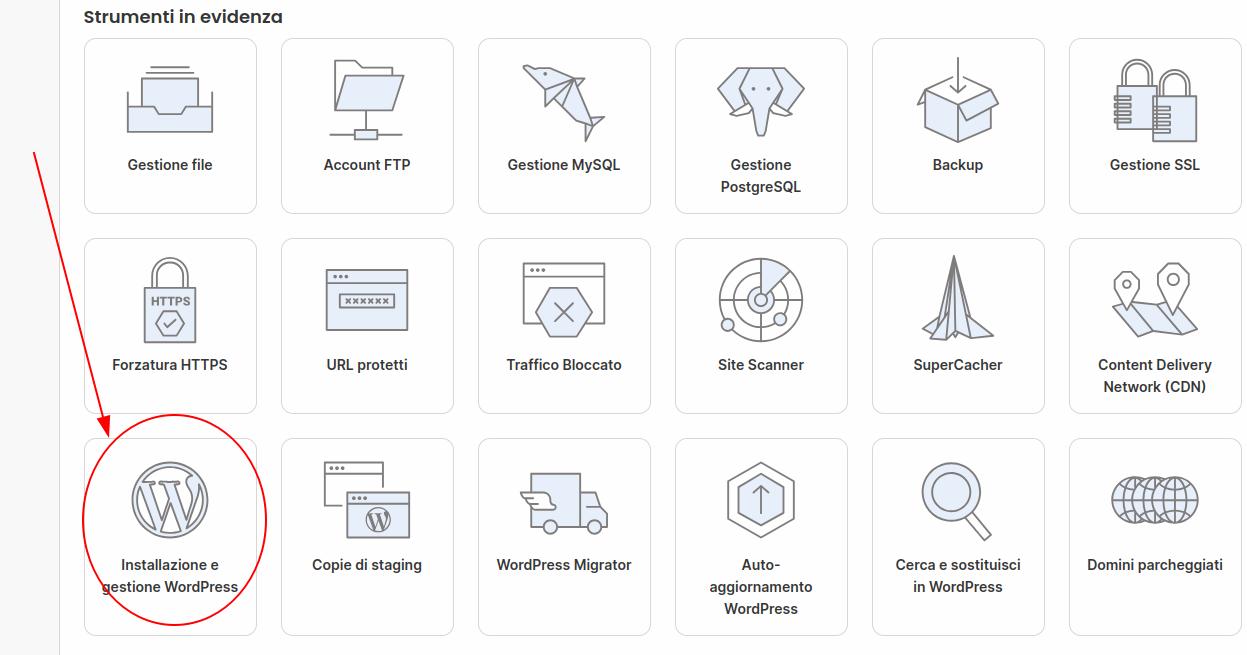
Later, in order to use the staging area and run some tests, I had to add the site to SiteGround’s WordPress management. The process was simple and only took a few clicks.

From that moment on, however, SiteGround also started to automatically manage core and plugin updates. In my case, since the site was highly customized, that was a problem.

While reading SiteGround’s documentation, I found a clear statement saying that it was possible to remove the project from WordPress management without deleting anything, by selecting the option to keep the database. In practice, though, that is not what happened: both the database and the files were deleted, and the site went down completely.

Fortunately, I was able to restore everything from a backup through the SiteGround interface. After this experience, I avoided adding WordPress back into SiteGround’s “WordPress management.” This means giving up the staging feature, at least for now, but I would rather find an alternative.

So, if you are looking for a way to prevent SiteGround from automatically updating WordPress, be careful: even adding the related string to the wp-config file, “disable-update true”, might not be enough, because SiteGround’s management system may still override it.


Author Graziano De Maio - Gdmtech
I wish you a good read and remember: if after reading this article you need help, don't hesitate to contact me.
Author: Graziano De Maio | Founder of Gdmtech
Graziano De Maio, Webdeveloper, SEO specialist
Graziano De Maio
Web Developer, SEO Specialist
Gdmtech Web Agency
Via Stefanardo da Vimercate 28 - (Milan)
Via Spinedi 55 - Postalesio (Sondrio)
Info & Contacts