Joomla on LiteSpeed: CSS and JavaScript 403 errors with query strings

- Joomla
- September 17, 2026
Table of contents
The Joomla administrator opens, but most of its styling is missing. Menus do not respond and several JavaScript features stop working. Meanwhile, the public website continues to function normally.
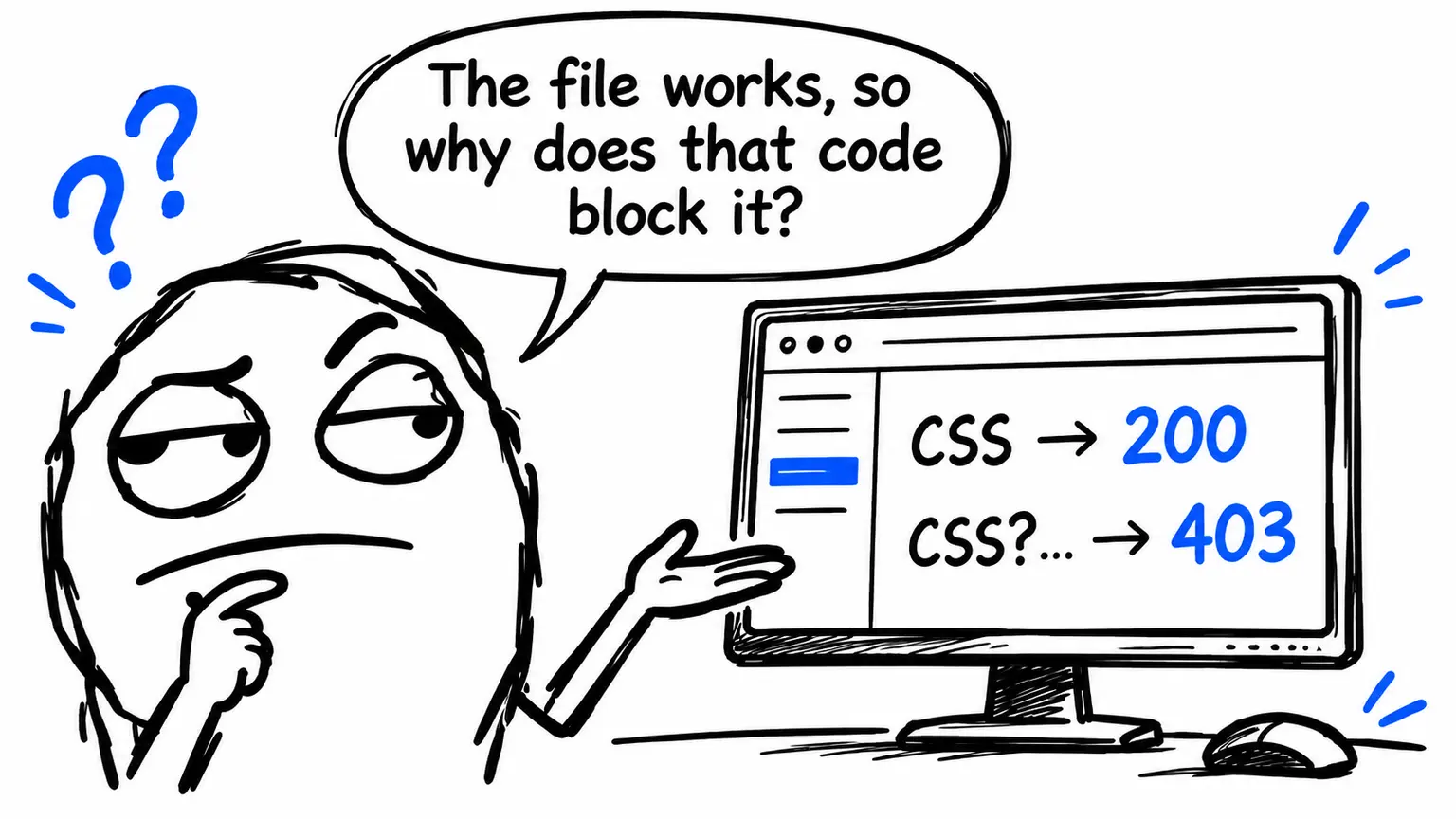
In this real troubleshooting case, comparing two requests for the same file isolated the problem: without a query string, the server returned HTTP 200; with Joomla’s full media version token, it returned HTTP 403.
The behaviour pointed to server-side handling of the request. Temporarily changing the version value restored the main administrator functions, but did not fix the underlying block.
The hosting support ticket is still open. The provider has not yet confirmed which rule or security component is responsible for the 403 response.
Joomla administrator missing CSS: the symptoms
The affected environment used:
| Component | Configuration |
|---|---|
| CMS | Joomla 3.8.5 |
| PHP | 5.6 |
| Web server | LiteSpeed |
| Administrator template | Isis |
The public website remained functional, while the administrator had two clear problems: most of its styling was missing and several interface controls were unresponsive.
This combination suggested checking asset requests before changing the template. Missing CSS can result from inaccessible stylesheets; unresponsive menus and buttons can follow when JavaScript libraries fail to load.
The difference between the frontend and backend did not identify the cause by itself. They can request different resources and URLs. The next step was to find out which requests were actually failing.
Inspecting CSS and JavaScript requests in DevTools
Opening the browser’s developer tools and reloading the administrator revealed HTTP 403 responses for several CSS and JavaScript files in the Network tab.
To perform a similar check:
- Open DevTools before reloading the page.
- Select Network and temporarily disable the browser cache.
- Filter requests by CSS and JavaScript.
- Inspect the status, complete URL, headers and response body.
- Compare a failed request with a working variant.
The complete URL matters. Looking only at the filename template.css hides the exact detail that changed the outcome in this case.
The Console can also help, but JavaScript errors may be secondary symptoms. If jQuery fails to load, scripts that depend on it can fail in turn. Start with the blocked network request rather than treating every console error as a separate defect.
The decisive test: the same file returns HTTP 200 or 403
The most useful comparison involved the Isis template stylesheet.
Without a query string:
/administrator/templates/isis/css/template.css
→ HTTP 200
With the full media version token:
/administrator/templates/isis/css/template.css?76822fa6c99b0bedb5fe9d45ee7638a8
→ HTTP 403
The same behaviour affected JavaScript resources such as:
/media/jui/js/jquery.min.js?76822fa6c99b0bedb5fe9d45ee7638a8
→ HTTP 403
The JavaScript file was accessible without the query string.
Additional tests narrowed down the trigger:
| Request variant | Observed result |
|---|---|
| File without a query string | Working |
Simple query string, ?x=1 | Working |
| Short query string derived from the token | Working |
| Full media version token | HTTP 403 |
These results do not show that LiteSpeed rejected all query strings or every long string. They show that this complete value was associated with the block under the tested conditions.
Distinguishing a length-based condition from a content-based match would require further controlled tests and, above all, server logs.
Why this points to request handling rather than a corrupt asset
The files existed and were readable. Directory permissions were 755, and file permissions were 644. In the observed case, the 403 response came directly from LiteSpeed.
The strongest evidence was still the comparison: keeping the same path and changing only the query string changed the response from 200 to 403.
That made a problem confined to the contents of the CSS or JavaScript less plausible. A syntax error can break styling or execution after download; it would not normally explain an HTTP refusal tied to the requested URL.
Numeric permissions alone do not rule out every access problem: ownership, ACLs and server configuration can also matter. However, the same file being accessible without the token made that explanation less consistent with the observations.
No obvious conventional rule in .htaccess had been found to explain the behaviour. This did not exclude inherited configuration or rules outside the hosting account’s visibility.
The diagnostic conclusion was therefore limited: investigate server-side handling of requests containing that specific token. A security filter was a plausible hypothesis, but the responsible component had not been identified.
LiteSpeed documents several possible causes of 403 responses, including ModSecurity rules. The status code alone does not establish that a particular WAF caused the problem. LiteSpeed documentation on 403 errors.
How Joomla asset media versioning works
Media versioning adds a version value to asset URLs to help updated resources reach the browser.
The principle is cache busting: when the URL changes, the browser can distinguish the new resource from a previously cached one. Intermediate caches also depend on their own configuration.
The Joomla 3 API documentation describes the media version as a string appended to core assets to encourage browsers to reload CSS and JavaScript. Joomla 3 media version API.
The administrator template in this case used calls such as:
JHtml::_('script', 'template.js', array(
    'version' => 'auto',
    'relative' => true
));

JHtml::_('stylesheet', 'template.css', array(
    'version' => 'auto',
    'relative' => true
));
The 'version' => 'auto' option requested automatic versioning. In the observed URLs, the result was a token after the question mark, without a parameter name such as ver=.
That token was a version identifier, not evidence of file corruption. The failure occurred when the server handled the request containing the complete value.
Temporary workarounds applied to the Isis template
The immediate goal was to restore access to the administrator while keeping the hosting investigation open.
The following changes describe this Joomla 3.8.5 installation with Isis. They are not universal instructions for every Joomla version.
Disabling versioning for selected assets
The first temporary change disabled versioning for some resources:
JHtml::_('script', 'template.js', array(
    'version' => false,
    'relative' => true
));

JHtml::_('stylesheet', 'template.css', array(
    'version' => false,
    'relative' => true
));
Setting 'version' => false prevents those calls from adding the version value.
The limitation is coverage. Changing the template’s stylesheet and script does not necessarily affect resources loaded by frameworks, components or plugins.
Temporarily setting a different media version
A broader workaround was then applied in the administrator template, before the JavaScript framework was loaded:
// Temporary workaround: remove after the hosting-side fix.
$this->setMediaVersion('1');
In the template context, this method sets the document’s media version. The method is documented in the Joomla 3 API. Joomla Document::setMediaVersion API.
In this case, using '1' avoided the token that triggered the block. This does not make '1' universally safe or mean that the method rewrites every asset URL produced by extensions.
After the change:
- the administrator CSS loaded;
- jQuery loaded correctly;
- administrator menus worked again;
- the main affected requests returned HTTP 200.
Before applying a similar change, keep a copy of the original file and document the modification. Updates can overwrite direct changes to template files.
Why neither workaround should become permanent
Disabling versioning reduces the effectiveness of cache busting. Keeping the version permanently fixed at '1' also prevents the identifier from changing normally.
After an update, browsers or intermediate caches might continue serving older resources, depending on their cache policies. This could introduce new administrator problems caused by mismatched asset versions.
Both changes bypass the symptom. Neither corrects the rule that generates the 403 response.
The additional issue with JCE Editor
An issue with JCE Editor also emerged during recovery. Temporarily switching to TinyMCE restored article editing and saving.
That result should be described without extending the diagnosis beyond the evidence.
Changing the editor restored those functions, but it does not prove that JCE itself was defective or that the same rule blocking CSS and JavaScript caused its problem.
Further investigation would need to examine separately:
- the assets requested by JCE;
- any errors in the Console;
- requests made while editing and saving;
- the extension version and its compatibility with the environment.
TinyMCE was therefore another temporary operational fallback, not proof of the cause of the JCE issue.
What to ask the hosting provider to fix
A permanent fix requires identifying the hosting-side rule or component that rejects the legitimate request, then correcting its behaviour.
The provider should correlate the tests with web server logs and any security system logs. LiteSpeed also documents its ModSecurity/WAF integration and the logging of related errors in the server logs. LiteSpeed ModSecurity/WAF documentation.
A useful support ticket should include:
- the date, time and time zone of the tests;
- the complete working URL and blocked URL;
- the source IP of the test, shared privately;
- HTTP status codes, headers and responses;
- results for the simple query string, shortened token and complete token;
- details of the temporary workarounds already applied.
A technical request could read:
The same static file returns HTTP 200 without a query string and HTTP 403 with the attached full token. Please check the logs to identify which component rejects the request and, if applicable, the rule and condition that trigger the block.
If a false positive is confirmed, the correction should be targeted. Disabling the WAF globally is not an appropriate permanent fix for a single blocked request.
After the hosting-side change, retest the originally blocked URL, remove the workarounds, restore automatic versioning and check the administrator functions again.
At the time of writing, the support ticket remains open. The provider has not confirmed the precise cause.
A reusable checklist for static asset 403 errors
This method also applies to WordPress and other applications that add version identifiers to asset URLs. The CMS APIs differ, but comparing requests remains useful.
| Check | What it establishes |
|---|---|
| Identify failed requests | Which resources are actually blocked |
| Compare URLs with and without a query | Whether the query string affects the refusal |
| Test controlled variants | Which values reproduce the issue |
| Keep session and test conditions consistent | Whether the comparison is valid |
| Inspect response bodies and headers | Whether the response is an asset, error or redirect |
| Check file existence and access | Whether the file path has an access problem |
| Correlate requests with logs | Which component is responsible |
| Record temporary modifications | How to roll back the workarounds |
| Retest after the correction | Whether the original cause has been addressed |
An HTTP 200 response also needs checking. Its body should contain the expected CSS or JavaScript, not an HTML login or error page.
Administrator restored, hosting investigation still open
Comparing the same asset with and without its media version was the key diagnostic step. It shifted the investigation from file contents to server-side request handling.
The workarounds restored the main functions, but resolving the incident still requires identifying and correcting the responsible rule. Automatic versioning must then be restored.
Technical FAQ
Should I use GET or HEAD for curl tests?
Start with GET, the method browsers normally use to load assets. HEAD may be handled differently and does not return the response body needed to recognise a block page.
How can I compare the two requests from a terminal?
Replace example.com with the domain you are testing:
curl -sS -D - -o /dev/null \
  'https://example.com/administrator/templates/isis/css/template.css'

curl -sS -D - -o /dev/null \
  'https://example.com/administrator/templates/isis/css/template.css?76822fa6c99b0bedb5fe9d45ee7638a8'
These commands print the response headers without displaying the response body in the terminal.
What if curl returns 200 but the browser gets 403?
The requests may differ in cookies, headers, source IP or caching. Compare them under equivalent conditions, and protect any credentials included in copied requests.
Does the Server: LiteSpeed header identify the blocking rule?
No. It may identify the responding server, but does not by itself identify the component that decided to block the request. Correlated logs and, where applicable, a rule identifier are needed.
Is a HAR file useful for the hosting support ticket?
Yes. It records network requests. Before sharing it, check for cookies, session tokens, personal data and other confidential information that is not needed for diagnosis.
If your Joomla administrator has missing CSS or JavaScript 403 errors, I can provide Joomla technical support, analyse the blocked requests and gather the evidence needed for a targeted investigation with your hosting provider.